 |
      |
 |
 |
 
|
|
ClickFax Support and Help Sending faxes with the ClickFax "Printer": Step 4 / 7 [ < previous ] [ next > ] 
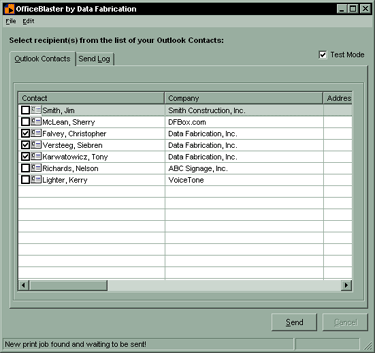
NOTE: Depending on the size of your job, it may take a few seconds for the ClickFax dialog to come up. Please wait until you see the ClickFax dialog box before proceding to the next step. If after 30-45 seconds, the ClickFax dialog box does NOT come up, clck on the ClickFax icon in the taskbar tray (if present) or go to the Start menu and select Programs > ClickFax Control Panel. NOTE: If you experience problems and need to manually bring up the ClickFax Control Panel, you may need to re-send your print job. If this is the case, go back to step one with the ClickFax Control Panel now open.
|
|








