 |
      |
 |
 |
 
|
|
ClickFax Support and Help Linking ClickFax to Peachtree Accounting: Step 8 / 9 [ < previous ] [ next > ] 
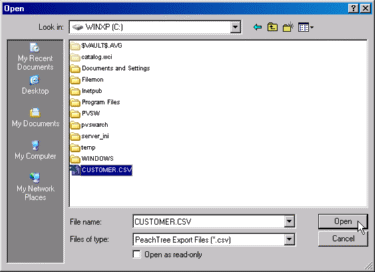
Browse to the file location where you saved your Peachtree export file. In our example, we saved it in the c: drive and called it CUSTOMER.CSV. Highlight the file and then click the Open button to import the file into ClickFax.
|
|








