 |
      |
 |
 |
 
|
|
ClickFax Support and Help Linking ClickFax to QuickBooks: Step 9 / 12 [ < previous ] [ next > ] 
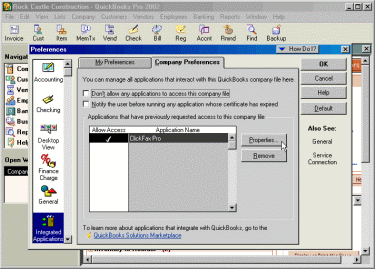
Scroll down the icon list on the left of the Preferences screen and click the [Integrated Appliations] icon. Next, click the [Company Preferences] tab and highlight the ClickFax Application, and then click the [Properties] button.
|
|








